 Hexalian
Odoo RFQ Catalog Mode: Hide Prices and Collect B2B Quotes from Your Shop
Not every B2B catalog should show public prices. Request for Quote mode replaces Add to Cart with quote requests and creates draft sales orders your team can price—without a separate portal rebuild.
When “Add to Cart” is the wrong button
Distributors, industrial suppliers, and custom-configured products often cannot publish a fixed web price. Competitors scrape the shop. Contracts override list prices. Sales owns the number.
Native Odoo website_sale still assumes a cart. Request for Quote — B2B Catalog Mode flips that assumption: shoppers browse the catalog, click Request a Quote, and your team gets a draft sales order to price—without building a second website.
What the module changes on the storefront
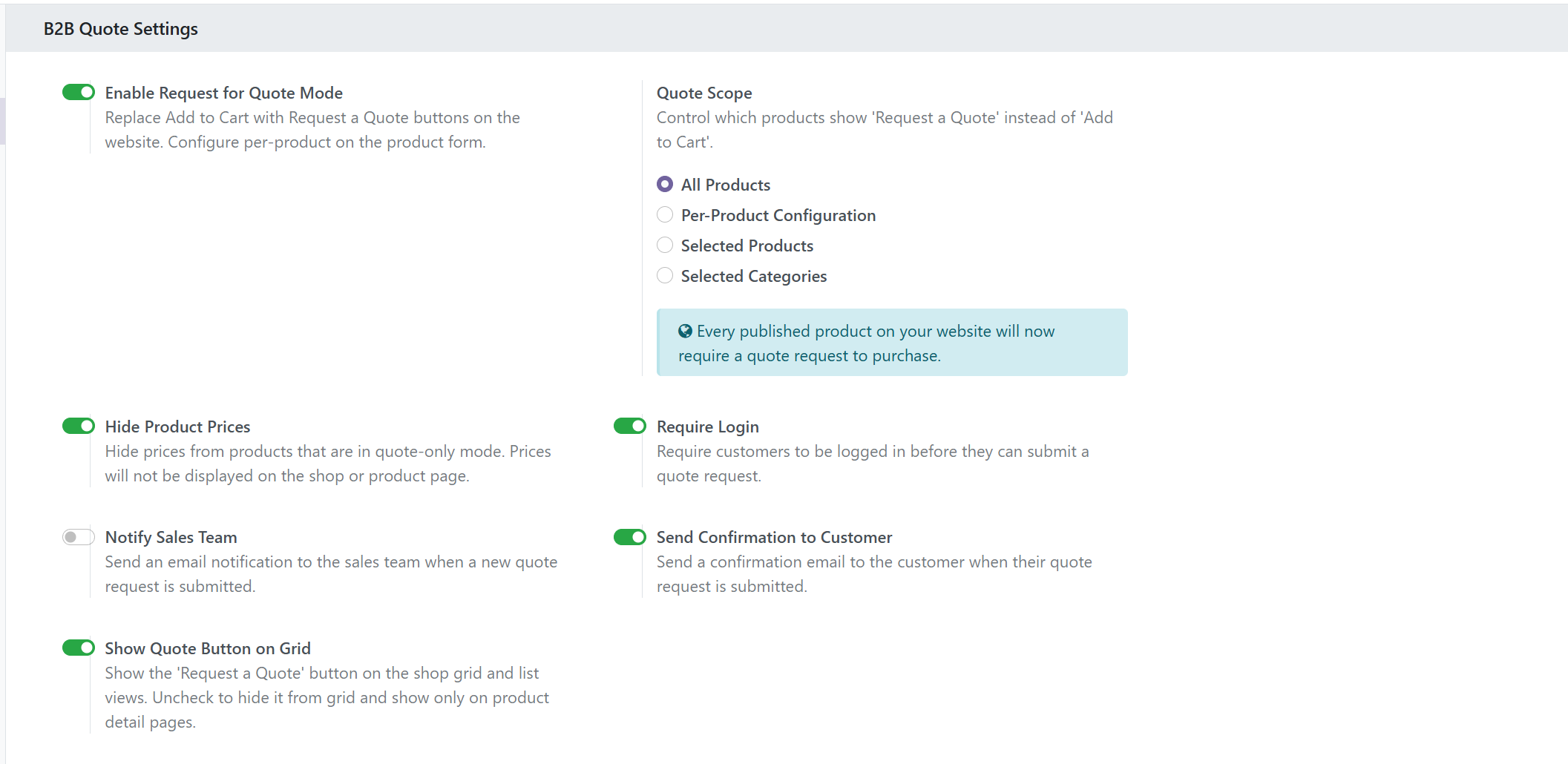
- Replaces Add to Cart with Request a Quote (scope: all products, per product, selection, or by category).
- Optionally hides prices for guests or for quote-mode products so the catalog stays informative without leaking negotiated rates.
- Creates a draft sales order from the request so sales works in the same pipeline they already know.
- Notifies the sales team so quotes do not sit unread in a random inbox folder.
- Ships with EN/ES translations and works on Odoo 17+ website_sale flows.
Recommended setup path
- Install on staging with a copy of your product catalog.
- Choose scope carefully: start with one category (for example “Industrial”) before enabling site-wide.
- Decide whether guests see prices at all—many B2B shops hide prices until login or until a quote is issued.
- Route notifications to the sales team that actually answers RFQs within a business day.
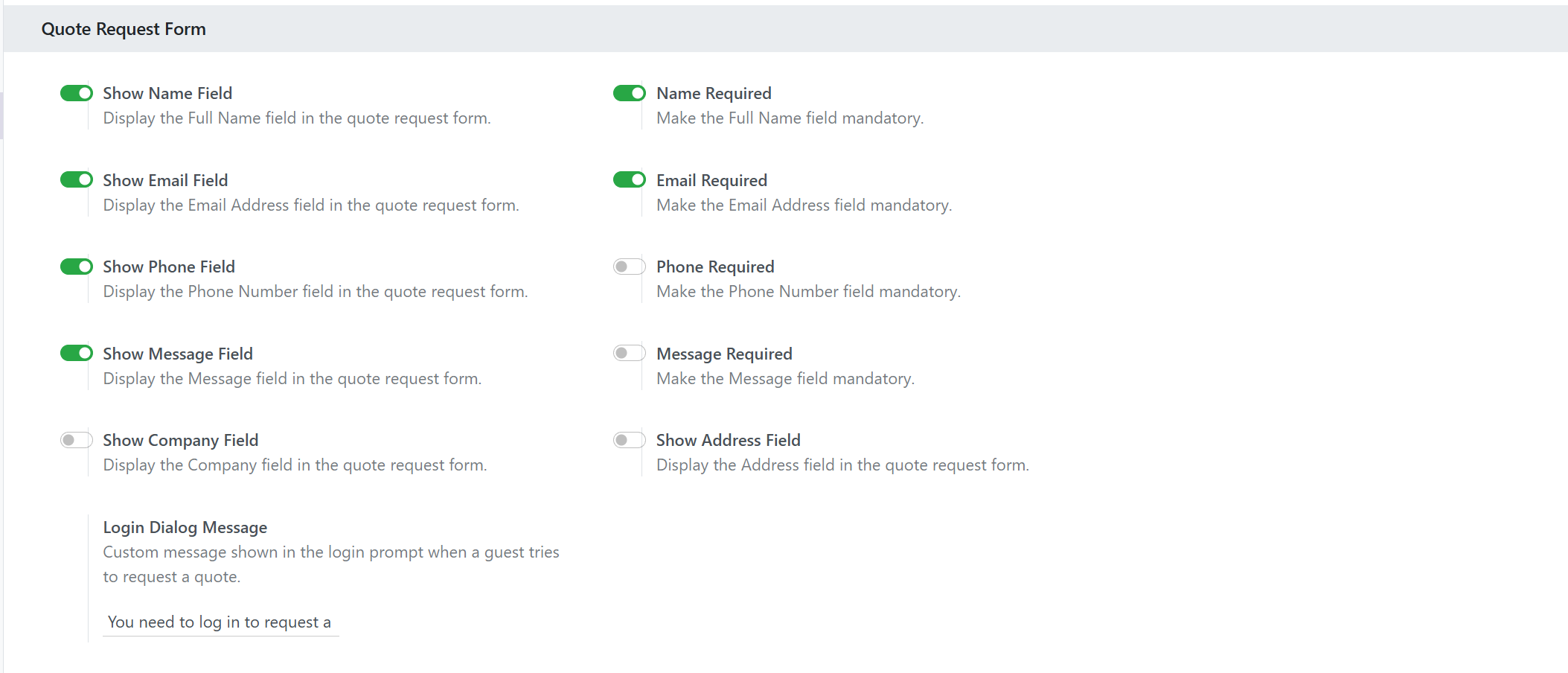
- Test as guest and as portal user; confirm the draft SO lines, partner, and chatter make sense for your process.
- Only then enable production and train sales: “RFQs are draft SOs—do not ignore them.”
RFQ + pricing + bulk order
RFQ mode answers “don’t show me a price yet.”
B2B Pricing Suite answers “show tier breaks and MOQ when I am allowed to see prices.”
Bulk Order answers “I already know SKUs—let me paste Excel.”
If you need two or three of those, buy the discounted B2B Wholesale Pack instead of stacking list prices.
FAQ: Does RFQ replace the sales app?
No. It feeds the sales app. Quotations and confirmations still happen in Odoo Sales; the website becomes the intake channel.
FAQ: Can I keep Add to Cart for some products?
Yes. Scope options let you enable quote mode globally or only on selected products/categories so retail SKUs can stay cart-based.
Next step
Pilot one category on staging, then decide whether to add Pricing Suite and Bulk Order—or take the pack.
Browse Odoo modules at hexalian.com/store or explore our engineering eBooks.
Running Odoo in production?
Get Odoo modules with full source code, or talk to us about custom development and hardening.